

Dynamic DNS is a technology that allows you to update the IP address of a domain in real time. In order to fully understand how Dynamic DNS works, it is important to first understand domain names and name servers. Essentially, all website domain names are held on computer servers known as name servers. These servers are used, with the help of a Domain Name System (DNS) server, to change the domain name into something more easily recognizable by a computer, a internet Protocol (IP) Address.
Dynamic DNS works in roughly the same way outlined above, except that it is much more flexible with its features. Because of the dynamic systems associated with Dynamic DNS, this type of domain name system allows domain names to be accessed from servers that have dynamic, or varying, IP addresses. By allowing dynamic IP addresses to host domain names, Dynamic DNS makes it possible for people and other websites to connect to a particular server without having to track that server's IP address.
How Can I Implement Dynamic DNS?
A server operator can implement Dynamic DNS on nearly any computer server with a minimum of setup requirements. All one must do is simply change the maximum caching time, or the time intervals between caching of a domain, to a very short period. In the world of dymanic IP addresses, this time should be set to a period of a minute or two. This will prevent storage of the original IP address, allowing visitors to a particular site to update their old information by contacting the name server on each visit.
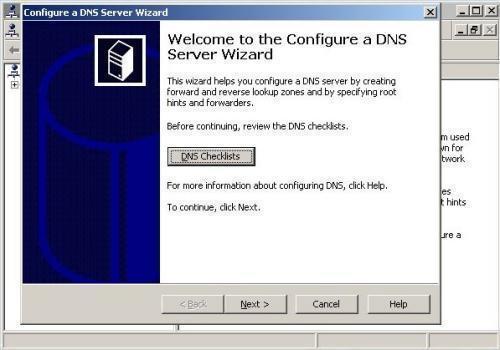
Dynamic DNS has found a home in a variety of markets, including the home server marketplace. As computer technology and Internet speeds increase, the home server market has expanded greatly over the years. Some smaller websites are now hosted on nothing more than home computers with a dynamic IP address, making it a necessity to allow for Dynamic DNS connections to such amateur server setups.
Related Articles on DNS
- What is DNS?
- How do I flush DNS?
- How do I find my DNS servers?
- What are public DNS servers?
- How do I perform a DNS lookup?
- What is reverse DNS?
- What is a dynamic DNS?
- What are DNS root servers?
- Understanding DNS
Follow Us!