

Computer caches are memory circuits that serve to speed up a much larger memory drive. In a typical computer it takes the microprocessor 60 nanoseconds to access the RAM. To cut the time it takes for the microprocessor to access data from the RAM, a special memory bank or memory circuit is installed into the motherboard itself. This is called an L2 cache and it can deliver the needed data in 30 nanoseconds, which is half the speed of the main memory.
Caches are small memory banks that serve to speed up a larger memory bank by being nearer and faster to the processor. To further speed up the operations in the microprocessor, an L1 cache is installed right on top of the microprocessor. This makes the operation dependent only on the speed of the microprocessor and not on the speed of any memory bus. An L1 cache, therefore, is 3.5 times faster than an L2 bus.
The Internet is the slowest and biggest "memory drive" that a personal computer can access. To speed up its operations, the computer stores temporary files on the previous pages viewed in the internet. This operation uses the hard drive as a caching subsystem and results in faster access to data the next time a page is viewed.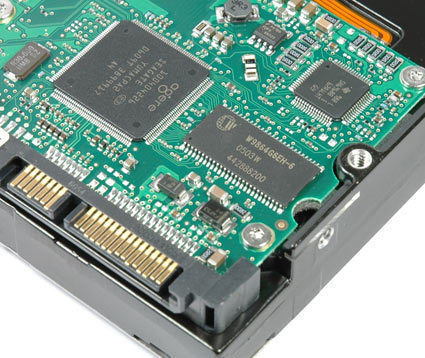
Modern hard drives have their own caching subsystems that are accessed before the physical drive is. This results in much faster retrieval of data. A very concrete example of this is when the hard drive is used as a caching subsystem to the files in a floppy disk drive. A 3-megabyte file in a floppy drive typically takes 20 seconds to display the first time it is accessed. It displays a lot faster the second time around, though, because the operating system checks with the hard drive first if it contains a copy of the same file before accessing the floppy disk. Since the hard drive is much faster to access than the floppy drive, the floppy drive will not be searched the second time the same data is retrieved.
A summary of the typical caching subsystems of a computer from the slowest to the fastest will be the following. The Internet which could take between 1 second to several hours to download data, the mechanical hard drive which takes 12 milliseconds to access the same data, the main memory or RAM which takes around 60 nanoseconds to access 32 MB to 512 MB-sized data, the l2 cache or SRAM type memory that can access 128 KB to 512 KB-sized data in about 20 to 30 nanoseconds, and the L1 cache which can access 4 KB to 16 KB-sized data in 10 nanoseconds or less depending on the speed of the microprocessor.
Small memory banks are a lot faster but slower and bigger memory banks are a lot cheaper and are thus more practical to use. Caching offsets this disadvantage and maximizes speed of the system by making frequently used data readily accessible to the system.

jerome bogetti
what is the purpose of the cookie folder?
memenode
To store cookies (which are used for sites to remember you)?