

Firmware refers to the microprograms present on ROM (Read Only Memory) modules, which contain low-level (e.g., hexadecimal, machine code) software. They enable the device on which they are present to take stock of its capabilities and to render those capabilities functional. The information loaded onto the ROM is non-volatile meaning that it is not lost when power is switched off. The most basic example of firmware would be the BIOS that comes with the motherboard of your PC. The firmware also coordinates the activities of the hardware during normal operation and contains programming constructs used to perform those operations. The use of firmware gives more flexibility compared to the use of pure hardware circuitry. For example, in a typical modem, the firmware will be a factor in establishing the modem’s data rate and command set recognition.
Some firmware are non-rewriteable while others are upgradeable, meaning that it is possible to upgrade the firmware of the device by connecting it to your PC in a particular configuration and then running the software provided by the manufacturer. This process is called “flashing firmware” or simply “flashing”. This becomes necessary when the device becomes incompatible with newer operating systems or to simply enhance the performance of the device. For example, CD and DVD drive manufacturers often release firmware updates available that allow the drives to read faster media.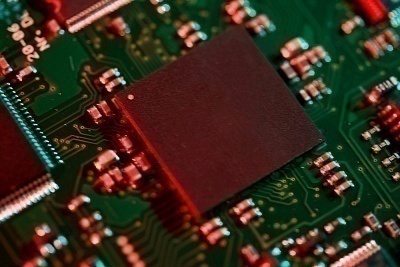
It is very important to follow the instructions given by the manufacturer during firmware upgrades. For example, for LG CD-ROM firmware upgrades it is required to connect the optical drive as the Master on the IDE-1 cable and the HDD as the Master on the IDE-0 with no other devices connected to both the cables. If this is not done properly the optical drive may be rendered unusable. Also, very often, firmware upgrades may be available only for devices made by the original manufacturer and not for OEM tagged devices.
Umashankar b
https://stackoverflow.com/questions/58339461/connect-texas-instrument-msp430-board-to-flash-firmware
c k
This article suffices as little more than an abstract – lots of hand-waving and some lame term definitions,,,
Typical
Typical answer from a self proclaimed know-it-all. I swear if the web had less people like you and less degrading comments we would all be better off.
I thought it was a great article and very informative…..well done.
uday kumar
hello, uday here, i want detailed process for installing nokia xpressuniverse v60.0.001. on nokia 5800xpress music. i hav downloaded rof2 & 3. could u plz help me out of this problem???….i would be thankful to u if u could do that. 🙂