

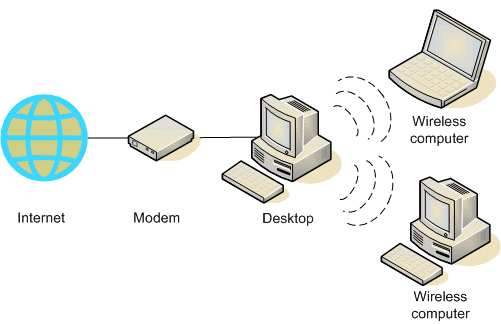
A wireless router is a computer networking device that routes data packets across another computer or across a wireless IP network. The wireless router comes with an 802.11 interface card and antenna. The wireless router antenna is generally what determines the signal strength of the wireless router. If your signal strength is weak, then you may need to replace your wireless antenna on one or both ends.
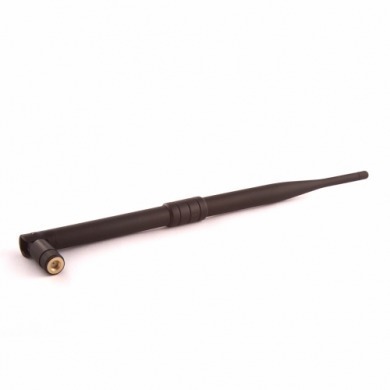
When you buy a router, the antennas that come with it are designed to be omnidirectional. This simply means that they can broadcast a signal in all directions around the router. This is advantageous if your router is placed in the center of your house as this will ensure that the signal radiates through all the rooms of the house, as the omni will pick up signals from every direction. However, if your router is near a wall, then half of the signals radiated will be sent outside your home. This wastes a lot of your router's power because the power has to be distributed equally in all directions. This also sometimes means a lower signal strength if you are working a long distance away from the router. Some routers allow you to increase the power output. You will then be able to make better use of the power in such a scenario.
But what if your router does not allow you to increase power output? You will then have to replace your router's built-in antenna.
Most wireless routers come with omnidirectional antennas. This is because they provide wider coverage, making it possible to form circular overlapping cells from multiple access points located throughout the building. However, there are other types of antennas that you can use.
Replacing router antennas
When replacing your wireless router antenna, take the following considerations into account:
- If an omnidirectional antenna is your preferred choice, then look for one with a longer antenna. These generally tend to have better performance.
- You could also consider using an external omnidirectional antenna. These are significantly stronger than the router's in-built antenna and allow you to work at quite a significant distance from it.
- Look for an antenna with high gain. Most antennas ship with low gain. A high-gain antenna increases your coverage range while reducing the number of access points.
- You could also consider looking for directional antennas, because they reduce the number of access points needed within a facility. A directional antenna focuses the radiated signals in only one direction and you can therefore aim the signal in the direction you need most.
- Make sure you buy your new antenna from a reputed vendor, and ask for a warranty.
- You could also consider building your own wireless antenna if you so wish.
- Always remember that you should only replace your wireless router antenna when you need to improve your wireless router range and performance.
Once you have purchased your new external antenna, you will need to connect the external antenna — usually with an SMA connector. Consult your router product documentation for details on how to do this.
daddyd
I have a flat digital hdtv antenna that im not using. I know i can replace my router antenna with this but will it work?