

Video conferencing has become popular over the last decade. Video conferencing is when two or more parties communicate in real time in separate locations with both video and audio signals.
Technology Used in Video Conferencing
Video conferencing works by using a few different technologies. Some of these technologies are hardware, others technologies involved in the video conferencing process are software related. Here is a list of technologies that are common to a video conference set up.
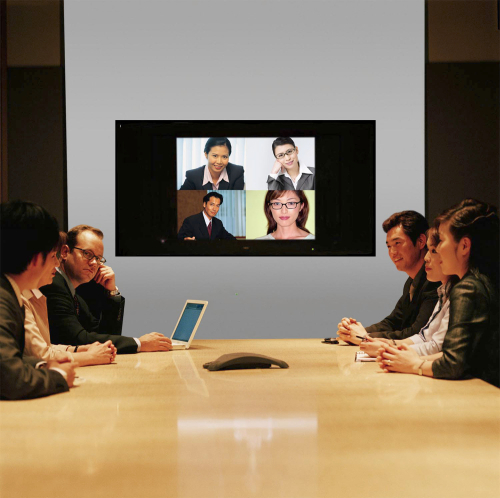
Video Input
Video input usually consists of either a video camera or a web cam. Usually there are two video cameras, at least one camera at each location. For larger video conferences there can be many more cameras. Digital projectors are used frequently to show a presentation not only in one location but sending the presentation as well as part of the video conference. Besides a standard video camera, more and more people are using web cams to conduct their video conference.
Video Output
Video output can be in the form of any video output form such as a standard TV set, digital TV set, computer monitor, etc.
Audio Input
Audio input takes the form of microphone. Sometimes each person might be individually miked, some video conferences have one general microphone that is passed around or can consist of a microphone in a central location.
Audio Output
Audio output usually consists of speakers. These speakers can range from professional equipment, headphones or even tiny speakers on a laptop computer.
Data Transfer
Video conferencing can work in a number of ways depending on the technology being used. Video conferencing uses several technologies including Digital technologies, as well as analog technologies. ISND lines, a normal broadband Internet connection and radio frequencies which can include Satellite transmission and even Wifi.
Data Compression Software
Software is extremely important to the video conferencing process. In order for digital video conferencing to take place over ISDN lines, broad band Internet and Wifi there must be software to compress both the video and audio data. Video and audio data can take up a tremendous amount of space and can take a long time to travel from one location to another, it is important for any data being sent back and forth to be compressed and sent quickly and effectively. Today there are lots of software available to compress video and audio signals and unpack them once at the other location for high quality audio and video signals.
Acoustic Echo Cancellation
Another important software component is acoustic echo cancellation. Echo cancellation makes it possible for parties to talk to one another in real time without any distractions or interference. For instance, if one party is talking to another party and there is no echo cancellation software, they might hear themselves speaking a few seconds out of synch due to audio delays. In a few seconds of talking, each party wouldn't be able to understand the other party because of the distractions. Echo cancellation software processes audio to remove any distractions caused by delays
Advantages of Video Conferencing
Video conferencing is used by many businesses usually to save both time and money. One of the great advantages of video conferencing is that two or more parties can have a virtual face to face meeting to conduct business, which is seen as more beneficial than just a conference call. Other parties such as educators and health professionals use video conferencing when giving lectures, teaching about topics that require visual cues or visual information. Health professionals can give a diagnosis by conducting an examination via a video conference. There are many advantages to this technology and this has a lot to do with its exponential growth in recent years.

Aliasgar Babat
Video conferencing definitely helps businesses to grow because of reduced travel costs, increased efficiency, faster responsiveness, better and constant interaction with clients etc. Tools such as RHUB web video conferencing appliances helps businesses in accomplishing the same.
asda
Testing
This is very useful and informative kind of blog
mzanje steve
if the language used is not understood what happen?
Mohanarangan
informative…